


How to Choose the Best SIP Video Door Phone?
Choosing a Sip Video Door Phone is not just a screen-size decision. It affects how clearly residents see visitors, how reliably calls reach them, and how easily the system fits existing building networks. A useful comparison starts with daily use: a courier standing in rain, a resident answering from another room, or an older visitor needing clear audio. Small details matter.
Market growth helps explain the wider interest. Grand View Research estimated the global video doorbell market at USD 2.36 billion in 2023 and projected a 9.5% compound annual growth rate from 2024 to 2030. This is a forecast, not a guarantee of product quality or demand in every region. Still, it signals why buyers now face more choices in cameras, displays, connectivity, and access control.
For SIP-based models, compatibility deserves careful attention. The IETF’s RFC 3261 defines the Session Initiation Protocol, which helps establish and manage communication sessions. SIP support alone does not guarantee clear video, secure configuration, or smooth integration with every phone system. That gap matters. A dependable choice should balance image quality, night visibility, audio performance, network requirements, installation needs, and ongoing support. This guide examines those factors in practical terms, while noting that building layouts and user needs differ. No single specification tells the whole story.
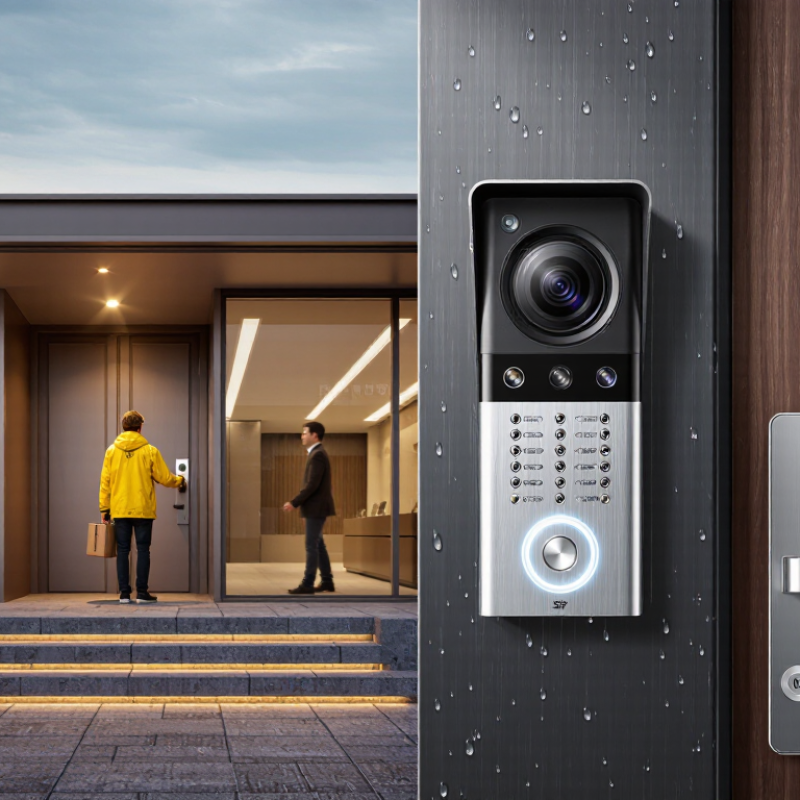
Understand How SIP Video Door Phones Work
A SIP video door phone is a network endpoint, much like an office phone with a camera and call button. SIP, or Session Initiation Protocol, manages the call: it contacts a configured indoor phone or call server, starts the session, and ends it when either side hangs up. The live audio and video usually travel through separate media streams. Their quality depends on network conditions and compatible codecs. Simple in theory. A busy network can still cause delayed speech, frozen video, or missed calls.
When someone presses the button, the door station sends a call request across the local network or an approved remote connection. After the resident answers, both devices exchange audio and video. Some systems can also send a command to a door relay, but that function depends on separate wiring and configuration; a connected call does not prove the lock will operate correctly. Check power requirements, SIP compatibility, and network capacity before choosing a unit. Then test it at the actual entrance, including at night and during a weak connection. I would not judge performance from a showroom demo alone. The real installation may expose small problems, such as echo near a hard wall or a camera aimed too high.
How to Choose the Best SIP Video Door Phone? - Understand How SIP Video Door Phones Work
| Selection Dimension | How It Works | What to Check | Why It Matters |
|---|---|---|---|
| SIP call setup | The door phone registers with a SIP server or PBX. When a visitor presses the call button, it sends a SIP request to call a configured extension or group. | Confirm support for SIP registration or direct SIP calling, the required server settings, and compatibility with your PBX or hosted voice service. | Compatible call setup lets the door phone reach indoor phones, softphones, or other supported endpoints. |
| Video and audio codecs | After the call is established, audio and video are usually carried over RTP. Devices must share compatible codecs to exchange media. | Check the supported audio codecs, such as G.711, and video codecs, such as H.264. Confirm that the receiving endpoint supports the same choices. | Codec compatibility affects whether a call has clear two-way audio and usable video. |
| Video resolution and viewing angle | The camera captures the entrance scene and sends video to the answering endpoint during a call. | Compare the stated resolution, horizontal viewing angle, low-light performance, and whether the image meets your identification needs at the installation distance. | A suitable field of view and image quality help show visitors without capturing unnecessary areas. |
| Network and power | The unit connects to an IP network. Some models can receive power over Ethernet, while others need a separate power supply. | Check Ethernet requirements, supported PoE standard if applicable, power consumption, cable distance, and whether a separate supply is needed. | Verifying power and cabling before installation helps avoid outages and unexpected installation work. |
| Door release control | During a call, an authorized user can trigger an output that operates a compatible lock or access-control input. | Check relay type and ratings, normally open or normally closed options, lock power requirements, and the intended wiring diagram. Use an appropriate external power supply when required. | Correctly matched wiring supports reliable release operation and avoids overloading the device relay. |
| DTMF and release signaling | A keypad tone or configured command can send a release instruction during a call; supported methods vary by system. | Confirm which signaling method is supported, such as RFC 4733 telephone events or SIP INFO, and verify that the door phone and answering system use compatible settings. | Matching signaling settings helps ensure the unlock command is recognized at the other end. |
| Security | SIP signaling can be protected with TLS, and RTP media can be protected with SRTP when both endpoints support and correctly configure them. | Check for TLS and SRTP support, secure credential settings, firmware update procedures, and options to change default passwords. | Security features help protect call setup, media, and device access; protection depends on compatible configuration across the system. |
| Outdoor suitability | The enclosure and operating specifications determine how well the unit handles its installation environment. | Review the specified IP rating, operating temperature range, mounting method, and any stated protection against sun, rain, or condensation. | Environmental ratings help you select a model appropriate for the actual exposure at the entrance. |
| Network reliability | Calls depend on the local network and, for server-based calling, reachability to the SIP server. Congestion or unstable connectivity can affect call quality. | Check network bandwidth, switch capacity, VLAN and QoS options if used, and whether the device can reconnect or re-register after a network interruption. | A stable network supports consistent registration, call setup, and media quality. |
| Integration and capacity | The door phone may integrate with a PBX, access-control system, or monitoring platform, depending on its interfaces and supported protocols. | Verify the exact integrations required, number of call buttons or SIP accounts, event handling, and whether any advertised protocol support is available for the intended functions. | Checking specific use cases prevents assumptions that protocol support automatically includes every integration feature. |
| Installation and maintenance | Configuration typically includes network settings, SIP account details, call destinations, camera settings, and relay behavior. | Look for clear installation documentation, local or remote configuration options, firmware maintenance procedures, and access to configuration backups. | Good documentation and manageable updates make setup and ongoing support easier. |
Practical tip: Before purchase, confirm end-to-end compatibility with the SIP server, answering devices, network, and door lock. Features and supported standards vary by model.