Top Inspection Machines For Printing Buying Guide
Choosing the right Inspection Machine For Printing can protect quality, reduce waste, and strengthen customer confidence. A modern system checks every roll, sheet, or label against defined standards. It can detect missing text, color shifts, streaks, pinholes, registration errors, and damaged codes. These defects may look small under factory lighting. They can become expensive complaints after shipment.
Print inspection specialist Gareth Ward has emphasized, “Digital quality control must serve the press, not distract from it.” That principle matters when comparing machines. A high-resolution camera is useful, but it is not the whole solution. Buyers should examine inspection speed, camera sensitivity, software usability, lighting stability, data storage, and integration with existing presses. A system that identifies faults but slows production may create another problem.
This guide evaluates the leading inspection machines through practical buying criteria. It considers substrate types, print widths, production speeds, and the realities of operator training. Some facilities need 100% inspection. Others may benefit more from sampling, barcode verification, or defect mapping. There is no universal winner.
Actual factory conditions deserve attention. Dust can confuse cameras. Glossy film can create reflections. Frequent product changes can expose weak software workflows. These details are easy to underestimate.
A careful buyer should request sample testing with real production materials. Ask vendors to demonstrate difficult defects, not only perfect samples. Review service response times and replacement costs. The best decision may not be the machine with the most features. It may be the one operators can trust every shift. Even this guide has limits, because performance depends on setup, maintenance, and honest defect standards.
What Printing Inspection Machines Are and Why They Matter
What Printing Inspection Machines Are and Why They Matter
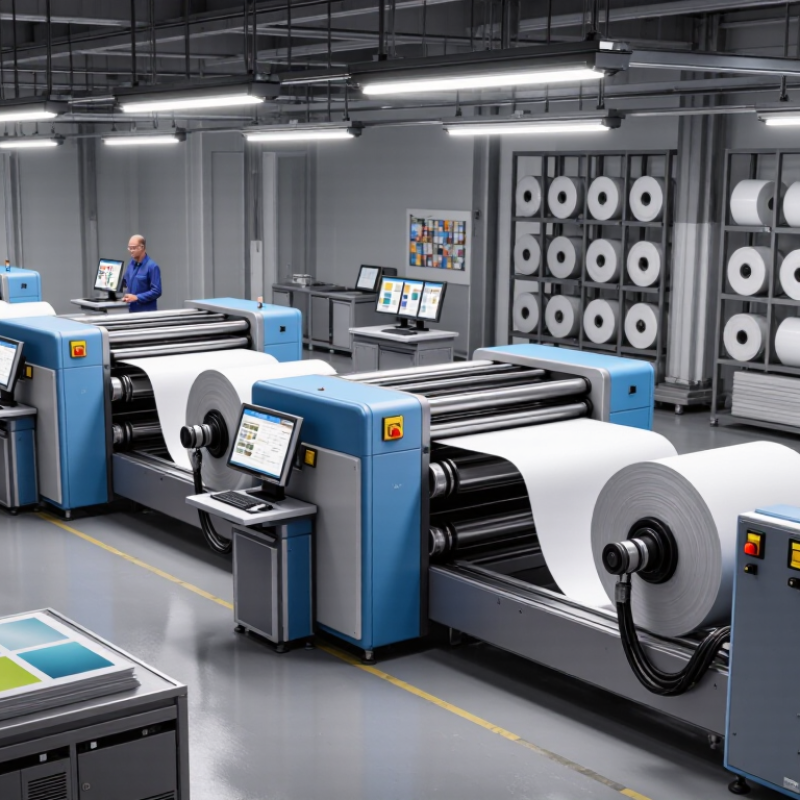
Printing inspection machines use cameras, lighting, and software to examine printed materials during production. They detect defects that human operators may miss, especially at high line speeds. Typical faults include missing text, color variation, streaks, smudges, misregistration, and damaged codes.
In practical use, the machine scans each section of a roll or sheet against a reference image. When it finds an unusual mark, it records the position and alerts the operator. Some systems also remove defective sheets or trigger automatic rejection. This saves time during final checking and reduces the risk of shipping inconsistent products.
The inspection method should match the printing process. Web printing often needs continuous surface monitoring, while sheet-fed work may require precise image comparison. Resolution, inspection width, line speed, lighting control, and software stability deserve careful attention. Ask for test samples from your own production line. Laboratory demonstrations can look perfect, but real dust, glare, and uneven ink create different results.
Data tracking also matters. Reliable systems should show defect locations, images, and production trends clearly. Operators need simple controls, not confusing screens. Training remains essential. A machine can flag an issue, but experienced staff must decide whether it is acceptable. No system catches everything. False alarms can slow production, and missed defects can damage trust. Regular calibration and honest performance reviews keep expectations realistic.
How Printing Inspection Machines Are Classified by Application
Top Inspection Machines For Printing Buying Guide
Print inspection machines are best classified by application, not by camera count alone. That distinction matters because paper, film, foil, and carton board create different inspection risks. According to MarketsandMarkets’ 2024 Machine Vision Market report, the sector may grow from USD 15.9 billion in 2024 to USD 25.9 billion by 2029. Printing is one practical driver of this expansion.
Commercial print inspection systems focus on missing text, smudges, color variation, and registration errors. Label inspection machines add barcode, die-cut, and splice verification. Flexible packaging systems usually inspect transparent film, seal areas, pinholes, and repeated artwork. Folding-carton applications emphasize print-to-cut accuracy, panel position, and readable codes. Newspaper and high-speed web systems prioritize rapid defect detection across wide substrates. Each application needs suitable lighting, line speed, resolution, and reject handling.
In production audits, inline systems usually protect the press, while offline rewinders support detailed verification before shipment. Smithers’ print inspection research identifies packaging and labels as important growth areas, partly because traceability requirements are becoming stricter. Still, classification is not perfect. A label line may require packaging-level inspection after lamination. A beautiful sample can hide failures under glare, dust, or changing tension. Buyers should test real production material, including weak contrast and intentional artwork variation, before selecting an inspection machine. Human review remains valuable. It catches unusual defects that software may not yet understand.
How to Compare the Top Types of Printing Inspection Machines
Comparing printing inspection machines starts with the defect you must catch. A web inspection system watches the moving substrate continuously, making it suitable for labels, flexible films, and long production runs. A sheet-fed vision system checks individual sheets and can detect missing text, color shifts, scratches, and registration errors. Offline inspection offers stronger analysis, but it adds handling time. That trade-off is easy to underestimate.
Smithers reported that the global printed packaging market exceeded $500 billion in 2023, increasing pressure to prevent waste and customer complaints. For high-speed lines, compare inspection width, camera resolution, processing speed, and false-reject rates. A barcode and text verification system may be enough for variable data, while full-image inspection is better for pharmaceutical cartons or detailed labels. ISO 12647 provides useful color-control references, but it does not replace practical machine trials.
Ask suppliers to inspect your actual material, ink density, smallest type, and worst registration shift. Measure defects per thousand sheets, not only the advertised detection rate. Lighting matters. Glossy film can hide pinholes under ordinary illumination.
I have seen a system perform well on white stock, then miss faint marks on metallic film. That result demands a second test.
Review data capture, operator alarms, recipe changes, and integration with the press. A cheaper camera can become expensive when operators repeatedly stop production to investigate false alarms. Always compare measurable performance, maintenance access, and training time.
How to Choose, Install, and Maintain the Right Machine
Top Inspection Machines For Printing Buying Guide
Choosing an inspection machine starts with the print process, not the machine catalog. Measure web width, production speed, material thickness, and typical defect size. Confirm the camera resolution can detect missing text, color shifts, pinholes, and registration errors. Lighting matters greatly, especially on glossy film or reflective foil. Ask for test samples from your own production line. A machine may perform well in demonstrations but struggle with your substrate.
Installation requires a rigid frame, accurate web alignment, stable power, and reliable data connections. Place the inspection point after the most important printing stage. Set the encoder carefully, then run approved samples at several speeds. Operators should verify defect images before enabling automatic rejection. Maintenance includes cleaning lenses, checking lights, updating defect libraries, and calibrating sensors on a fixed schedule. Keep records with dates, sample types, and corrective actions. Small records prevent large surprises. A perfect setup is rare, and early assumptions sometimes need revision.
Tips: Start with real defects. Keep spare lighting parts. Train every shift. Review false alarms weekly. Never ignore repeated calibration drift. Adjust sensitivity gradually, because excessive alerts can hide serious problems. Use clear acceptance limits agreed upon by production and quality teams. Verify machine performance after material changes, maintenance work, or software updates.