Why Choose a Bluetooth Car Screen for Your Vehicle?
Why Choose a Bluetooth Car Screen for Your Vehicle?
A Bluetooth Car Screen can give an older vehicle a practical digital upgrade without replacing its factory dashboard. The installation is often simple. A driver can see navigation directions, answer calls, or stream audio through a larger display. The experience feels familiar, especially when a phone remains the main control device. Small details matter. A clear screen, physical volume control, and a stable dashboard mount can reduce unnecessary glances.
The Bluetooth SIG’s Bluetooth Market Update 2024 forecasts annual Bluetooth device shipments will rise from 5.4 billion in 2023 to 7.5 billion by 2028. This growth reflects Bluetooth’s broad role in connected devices, including automotive accessories. S&P Global Mobility also reported that the average U.S. vehicle age reached 12.6 years in 2024. Many owners therefore need affordable technology for older cars, not a new vehicle. A Bluetooth Car Screen can help fill that gap.
“The car is the ultimate mobile device,” said Thilo Koslowski, a former Gartner automotive technology analyst. His point remains relevant as vehicles increasingly connect with personal devices. Still, convenience is not automatically safety. A screen can distract drivers when poorly positioned or overloaded with notifications. I would not call every model equally reliable. Connection stability, microphone quality, screen brightness, and software support can vary sharply. Buyers should check compatibility, installation security, and hands-free controls before purchasing. The best choice is not the most impressive display. It is the one that keeps essential information visible, simple, and usable during real journeys.
What Is a Bluetooth Car Screen and How Does It Work?
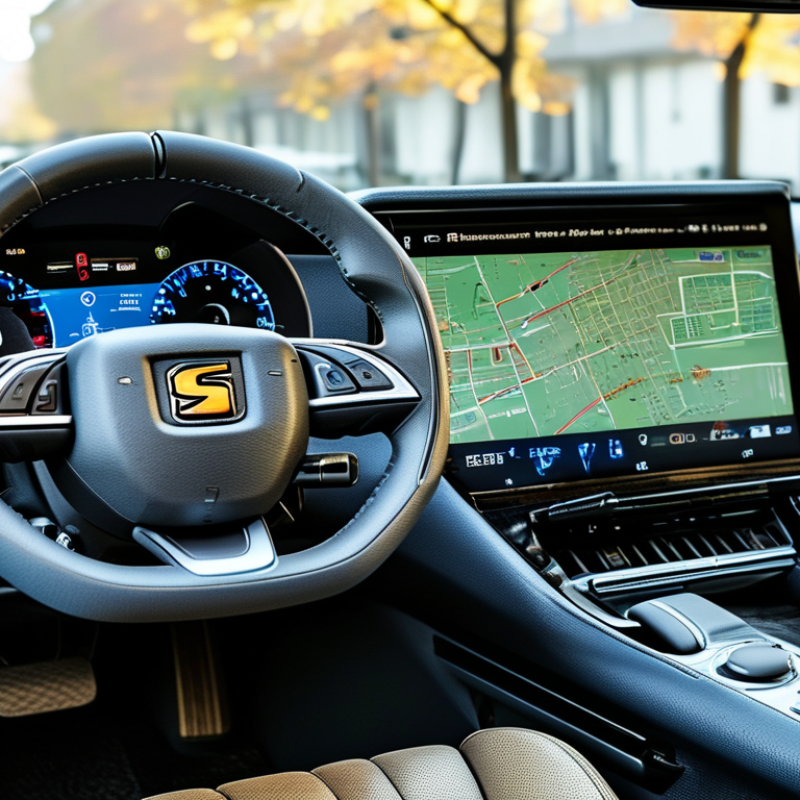
A Bluetooth car screen is a compact display that adds modern controls to a vehicle’s dashboard. It can show navigation, incoming calls, music controls, and selected phone notifications. Bluetooth creates a short-range wireless connection between the screen and a phone. During pairing, both devices exchange identification details and create an encrypted connection. Once connected, the phone provides data, while the screen displays it in a larger, easier-to-read format.
The screen may send call audio and music to the vehicle’s speakers through Bluetooth, an auxiliary input, or another compatible audio connection. Its built-in microphone supports hands-free conversations. The vehicle powers the unit through a dashboard socket or a dedicated installation. In my experience, pairing usually takes only a few minutes. The process can still feel fiddly. A driver may need to adjust phone permissions, audio output, and automatic reconnection settings. Bright sunlight can also reduce screen visibility, especially with cheaper panels.
A reliable setup should support the vehicle’s electrical system and maintain a stable Bluetooth connection. Check the manual before installation. Some older vehicles may require an extra audio adapter. Wireless convenience is useful, but it does not remove every distraction. Drivers should set navigation before moving and keep interactions brief. I once assumed a larger screen would solve every usability problem. It did not. Clear placement, simple controls, and consistent pairing matter just as much.
Which Vehicles Can Use a Bluetooth Car Screen?
Why Choose a Bluetooth Car Screen for Your Vehicle?
Which Vehicles Can Use a Bluetooth Car Screen?
A Bluetooth car screen can suit many vehicles, from older sedans to newer vans. It usually needs a stable 12-volt power connection and enough dashboard space. The vehicle does not always need a factory touchscreen. That is useful for cars with basic radios, limited navigation, or aging displays.
Audio compatibility matters more than vehicle age. Some screens use an auxiliary cable, while others connect through FM transmission or a built-in speaker. Check your car’s audio options before buying. A professional installer should also inspect the dashboard angle, glare, cable route, and steering-wheel controls. Small details matter. A screen may fit electrically but still feel awkward to use.
Tips: Measure the mounting area first. Test Bluetooth pairing while parked. Confirm your phone’s operating system is supported. Check whether the car has AUX, FM, or USB input. Keep the screen away from airbags and essential controls. A loose mount can vibrate on rough roads. That detail is easy to overlook. Compatibility is rarely perfect, especially in heavily modified vehicles. Be willing to reconsider the setup after a short trial. A practical choice should improve access without distracting from driving.
What Features Make Bluetooth Car Screens Useful?
Why Choose a Bluetooth Car Screen for Your Vehicle?
What Features Make Bluetooth Car Screens Useful?
A useful Bluetooth car screen should simplify ordinary driving tasks, not add another distraction. Wireless audio connects your phone without a cable across the dashboard. Hands-free calling keeps both hands available for steering. Voice control helps when traffic becomes busy. Short commands work best.
Navigation mirroring is another practical feature. Directions appear on a larger display, making street names easier to read. Some screens support a rear camera, improving visibility in tight parking spaces. Compatibility still matters. A phone may pair for calls but fail to mirror navigation correctly. Check supported operating systems before purchasing.
Brightness adjustment helps when sunlight hits the screen at noon. Night mode can reduce glare after sunset. A responsive touchscreen also matters; delayed taps become frustrating near a turn. Look for secure mounting, stable Bluetooth pairing, and simple power connections. In a practical test, I would check reconnection after restarting the vehicle. This small detail is often overlooked. I would also test microphone quality with the windows open. Poor audio may make a useful feature unreliable. No screen removes every driving distraction. That responsibility remains with the driver.
How Does a Bluetooth Car Screen Improve Driving Convenience?
A Bluetooth car screen can make ordinary driving feel less fragmented. During a weekday commute, I can view navigation prompts without reaching for my phone. The screen keeps route changes, call controls, and audio playback in one visible place. Pairing usually takes only a few minutes. Afterward, the phone can remain in a pocket or console. This simple change reduces repeated handling and keeps my eyes closer to the road. The improvement is practical, not dramatic.
Voice controls make calling and changing audio easier when the connection is stable. A larger display also makes route instructions easier to read than a small phone screen. Some systems can connect with steering wheel controls, allowing fewer touches while driving. Clear sound depends on the vehicle’s speakers and cabin noise. If Bluetooth disconnects, the experience becomes frustrating quickly. Reliable pairing matters more than extra visual effects.
I have noticed that sunlight can create reflections on glossy screens. Small text may still require too much attention. It is not flawless. Drivers should test the screen while parked and adjust its position before moving. A secure mount, readable layout, and responsive controls improve daily use. The device should support attention, not compete with the road. I still prefer setting destinations before departure, because convenience can encourage careless habits.
What Should You Consider Before Choosing One?
A Bluetooth car screen can make an older vehicle feel more connected, but convenience should not decide the purchase alone. Bluetooth SIG’s 2024 Market Update estimates that annual Bluetooth device shipments will approach 7 billion by 2028. That growth improves compatibility, yet connection quality still varies between phones and vehicles. Check your phone’s operating system, Bluetooth version, audio controls, and available dashboard space before buying. A screen that fits poorly can block vents or reduce visibility.
Safety deserves closer attention. The National Highway Traffic Safety Administration reported 3,275 distracted-driving deaths in the United States during 2023. A larger display may reduce phone handling, but it can also create new visual distractions. Choose simple menus, physical shortcuts, automatic pairing, and voice controls. Test screen brightness at night. Check whether navigation continues after a temporary connection loss. These small details matter during rain, traffic, or unfamiliar turns.
Tips: Measure the mounting area first. Confirm that steering-wheel controls work. Review microphone performance with windows open. Prefer secure installation over a cheaper setup. Bluetooth SIG also recommends checking supported profiles, not just the Bluetooth logo. In practical testing, a quick connection is useful, but stable reconnection matters more. I would not assume every “wireless” screen is truly hands-free. That claim needs evidence. Look for clear technical specifications, software support information, and independent safety guidance before choosing.